
Automation is no longer just for developers or large enterprises. Today, tools like n8n make it possible for businesses, marketers, and agencies to automate complex workflows without being locked into expensive platforms.
If you are new to automation and wondering what n8n is, how it works, and whether it’s right for you, this guide will walk you through everything step by step in simple language.
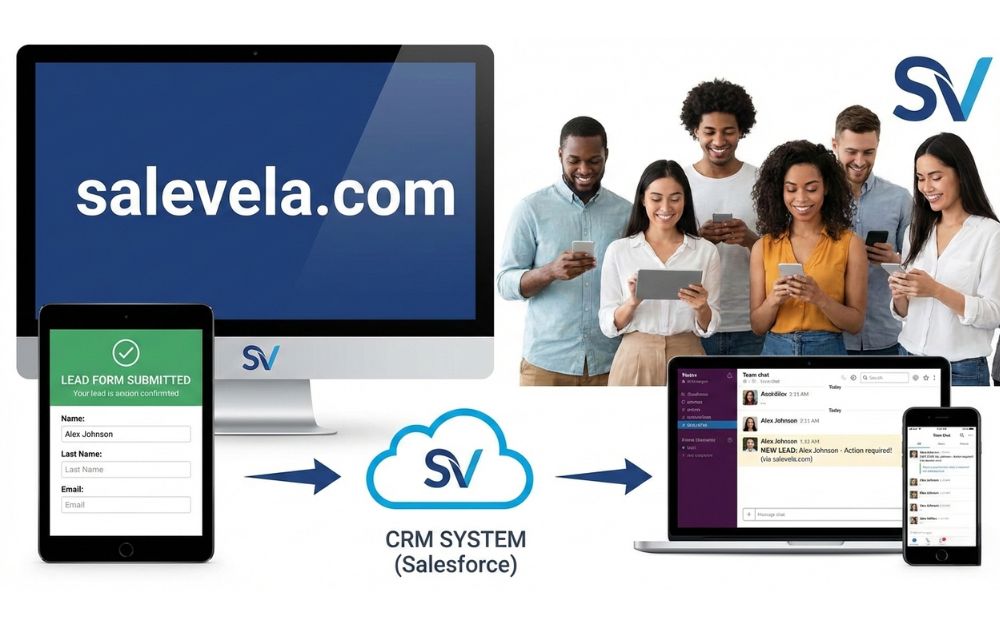
Table of Contents
What Is n8n?
n8n is an open-source workflow automation tool that allows you to connect different apps, services, and APIs to automate repetitive tasks and business processes.
In simple terms, n8n helps you answer questions like:
-
“When this happens, do that automatically.”
-
“If a lead fills a form, send data to my CRM and notify my team.”
-
“When a payment fails, trigger emails and update records.”
Unlike many automation tools that hide logic behind limits and pricing tiers, n8n gives you full control over your workflows, your data, and how everything runs.
You can use n8n to:
-
Automate internal business processes
-
Connect multiple tools together
-
Build custom logic without heavy coding
-
Run workflows on your own server
This flexibility is the reason that n8n is gaining popularity among technical and non-technical users alike.
What Does n8n Stand For?
The name n8n stands for “node-node”.
Each automation in n8n is built using nodes, where:
-
One node represents one action or event
-
Nodes connect to each other to form a workflow
-
Data flows from one node to the next
Instead of writing long scripts, you visually connect nodes making automation easier to understand, debug, and scale.
The philosophy behind n8n is simple:
Automation should be transparent, flexible, and owned by the user
How n8n Works (Nodes, Triggers & Workflows)
To understand n8n, you only need to learn three core concepts.
1. Workflows
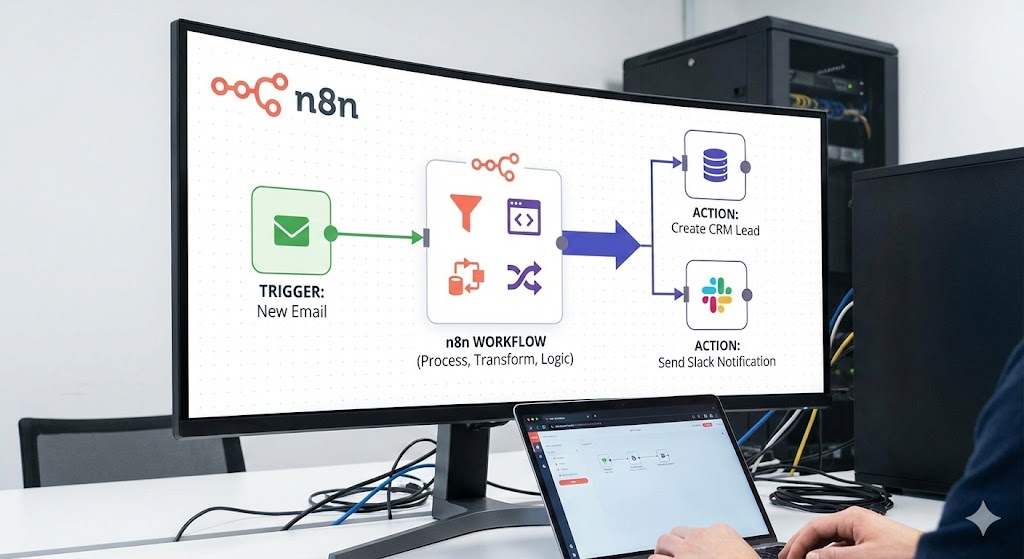
A workflow is the complete automation you build in n8n.
It defines:
-
When automation starts
-
What actions happen
-
How data moves between steps
Each workflow runs independently and can be activated or paused at any time.
2. Triggers
A trigger decides when a workflow should start.
Common examples:
-
A new form submission
-
A webhook request
-
A scheduled time (every day, every hour)
-
A new record in a database
-
An event from another app
Every workflow in n8n starts with one trigger node.
3. Nodes
A node performs a specific task.
Examples of what nodes can do:
-
Send HTTP requests
-
Filter data with conditions
-
Update a CRM
-
Send emails or messages
-
Transform data
-
Connect to third-party apps
Nodes pass data to each other in a structured format (JSON), allowing powerful automation logic without complex code.
Simple Example Workflow
Imagine this automation:
-
A user fills out a contact form
-
n8n receives the data via webhook
-
The email is verified
-
The lead is added to a CRM
-
A Slack or WhatsApp message is sent
All of this happens automatically, in seconds, using connected nodes.
n8n vs Traditional Automation Tools
Most traditional automation tools work like black boxes:
-
Limited executions
-
Expensive pricing as you scale
-
Restricted logic
-
No control over infrastructure
n8n takes a very different approach.
Traditional Automation Tools
-
Fixed pricing tiers
-
Execution limits
-
Limited customization
-
Vendor lock-in
-
Less transparency
n8n Automation
-
Open source & self hostable
-
Unlimited workflows (based on your server)
-
Advanced logic and conditions
-
Full data ownership
-
Transparent execution logs
This makes n8n ideal for people who want flexibility, scalability, and long-term control instead of paying more as automation grows.
Who Should Use n8n?
n8n is designed to work for multiple types of users — not just developers.
Developers
-
Build custom automation logic
-
Connect internal systems and APIs
-
Self-host and scale workflows
-
Debug with full execution logs
Marketers
-
Automate lead routing
-
Sync tools like CRMs, email platforms, and analytics
-
Create multi-step campaigns
-
Reduce manual work
Agencies
-
Build automation systems for clients
-
Manage multiple workflows
-
Avoid per-task pricing
-
Deliver scalable solutions
Startups & SaaS Teams
-
Automate onboarding
-
Handle subscriptions and payments
-
Connect product data to internal tools
-
Reduce operational overhead
If you want automation without restrictions, n8n fits naturally.
Why n8n Is Growing So Fast
n8n sits perfectly between:
-
No-code tools (simple but limited)
-
Full custom development (powerful but slow)
It gives you:
-
Visual workflows
-
Advanced logic
-
Ownership of data
-
Production-ready automation
That combination is exactly what modern businesses need.


